

Network Switch POE
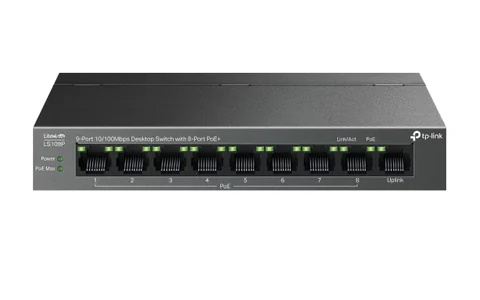
TP-Link LS109P 8-Port Fast Ethernet PoE Switch
LKR 11,830
TP Link · Network Switch
Model: TL-SF1016D
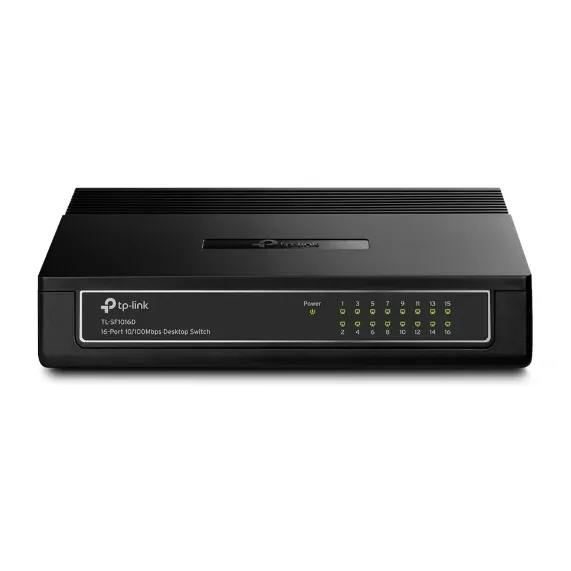
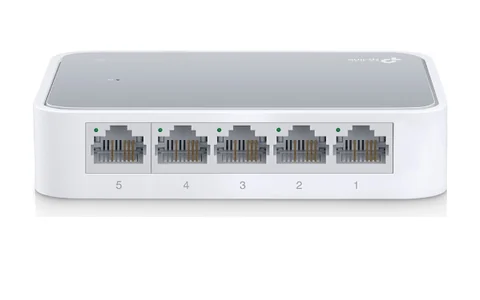
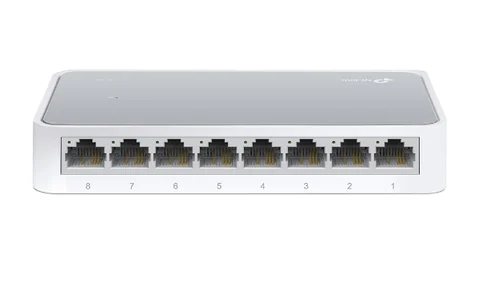
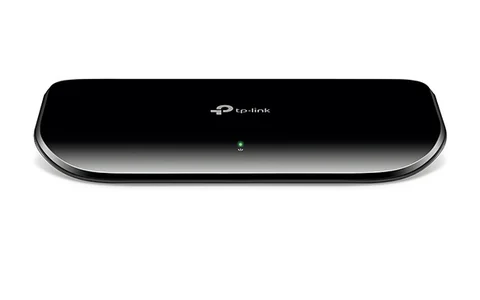
Product images are illustrative; appearance may vary.
702 Days Warranty
In stock
Expand a home or small-office wired network with the TP-Link TL-SF1016D. Its sixteen Fast Ethernet ports connect compatible computers, printers and other Ethernet devices at 10/100Mbps per port. It is an unmanaged switch: connect the included power adapter and Ethernet cables to get started, without a software setup.ගෙදර හෝ කුඩා office එකක wired network එකට තවත් devices සම්බන්ධ කරන්න TP-Link TL-SF1016D භාවිත කළ හැක. මෙහි Fast Ethernet ports 16 මඟින් computers, printers සහ වෙනත් Ethernet devices එක් එක් port එකට 10/100Mbps දක්වා සම්බන්ධ කළ හැක. මෙය unmanaged switch එකක් නිසා supplied power adapter එක සහ Ethernet cables සම්බන්ධ කර software configuration එකක් නැතිව භාවිතය ආරම්භ කළ හැක.
Auto-negotiation matches each connection to the supported link speed, while Auto MDI/MDIX handles the Ethernet cable connection automatically. A fanless plastic enclosure supports quiet desktop use or wall mounting. IEEE 802.3x flow control helps manage traffic on supported full-duplex links.Auto-negotiation මඟින් එක් එක් connection එකට සහාය දක්වන link speed එක තෝරාගනී. Auto MDI/MDIX නිසා Ethernet cable connection එක ස්වයංක්රීයව හඳුනාගනී. Fanless plastic casing එක නිහඬ desktop භාවිතයටත් wall mounting සඳහාත් ගැළපේ. සහාය දක්වන full-duplex links වල traffic පාලනයට IEEE 802.3x flow control උපකාරී වේ.
This is a 10/100Mbps Fast Ethernet switch. It does not provide Gigabit Ethernet or PoE power. Connected cameras or other powered devices require a suitable separate power source, and internet access requires an upstream router or gateway.මෙය 10/100Mbps Fast Ethernet switch එකකි. Gigabit Ethernet හෝ PoE power ලබා දෙන්නේ නැත. සම්බන්ධ කරන cameras වැනි powered devices සඳහා සුදුසු වෙනම power source එකක් අවශ්ය වන අතර internet සඳහා upstream router එකක් හෝ gateway එකක් අවශ්ය වේ.
Documentation reference: the gallery and downloadable manufacturer datasheet use the official TL-SF1016D V7 reference. The hardware revision of the current stock has not been separately confirmed. Adapter ratings and revision-specific details can differ; use the adapter supplied with the unit and check its label.Documentation reference: gallery එක සහ download කළ හැකි manufacturer datasheet එක official TL-SF1016D V7 reference එකට අදාළ වේ. දැනට ඇති stock එකේ hardware revision එක වෙනම තහවුරු කර නැත. Adapter ratings සහ revision එකට අදාළ විස්තර වෙනස් විය හැකි නිසා unit එක සමඟ ලැබෙන adapter එක භාවිත කර එහි label එක බලන්න.
| Model | TL-SF1016D |
|---|---|
| Ethernet ports | 16 × 10/100Mbps RJ45 |
| Port negotiation | Auto-negotiation |
| Cable detection | Auto MDI/MDIX |
| Management | Unmanaged, plug and play |
| Switching method | Store and forward |
|---|---|
| Flow control | IEEE 802.3x |
| Gigabit Ethernet | Not supported |
| PoE output | Not supported |
| Housing | Plastic |
|---|---|
| Cooling | Fanless |
| Placement | Desktop or wall mounting |
| Dimensions (W × D × H) | 200 × 142 × 40mm |
| Power | External power adapter supplied; use the rating on the unit label |
| Operating temperature | 0–40°C |
|---|---|
| Operating humidity | 10–90%, non-condensing |
| Manufacturer reference contents | TL-SF1016D switch, power adapter and user guide |
|---|---|
| Ethernet cables | Obtain suitable cables separately |
| Reference revision | TL-SF1016D V7 official gallery and datasheet; current stock revision not separately verified |
|---|---|
| Revision note | Electrical ratings can differ by hardware revision; follow the unit and adapter labels |
Performance depends on installation and environmental conditions. Contact H Zone to confirm system compatibility.
Compare the published details of these products. Ask H Zone to confirm suitability for your setup.